

AI Assistants for Business: What Actually Works

Originally posted: January 14, 2025 Last Updated: May 5, 2026
AI tools are everywhere right now.
From meeting summaries to automated email drafts, businesses have more access to artificial intelligence than ever before. But despite this surge in availability, many organizations are still struggling to see meaningful results.
For most organizations, the challenge isn’t finding AI tools—it’s figuring out which ones actually make a difference.
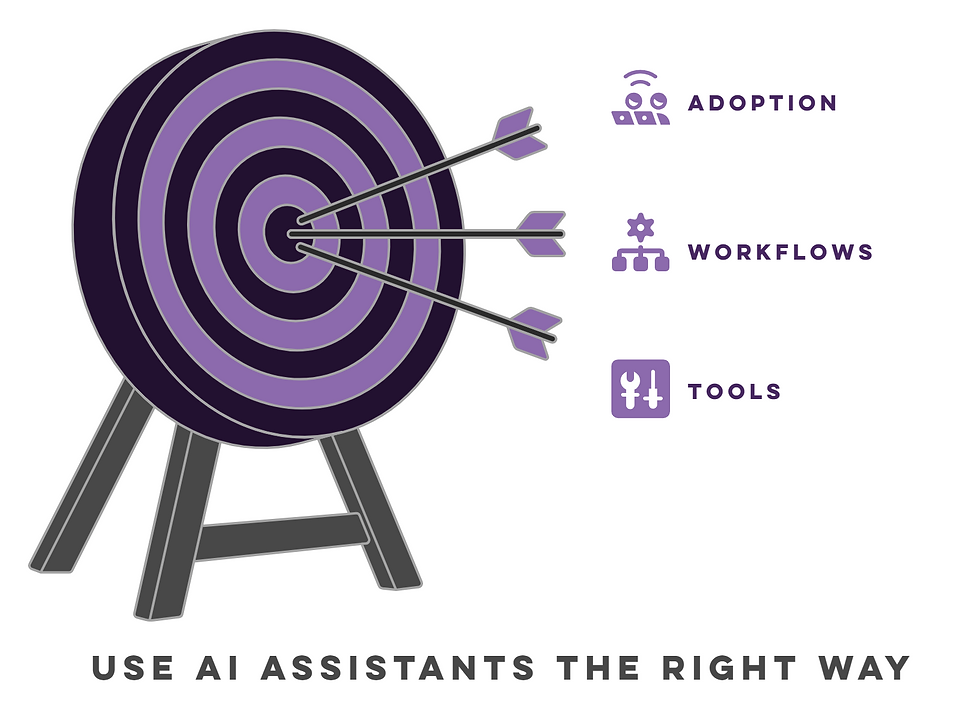
Having the right tools doesn’t automatically improve productivity. What matters is how those tools are used, where they fit into existing workflows, and whether teams are actually adopting them in a way that supports real work.
This is where AI assistants come in.
What Are AI Assistants (and Why Businesses Are Using Them)
AI assistants are software tools that use artificial intelligence to support everyday business tasks. They’re designed to make work more efficient by reducing manual effort for employees and helping users move through tasks more quickly.
In a business setting, that might mean drafting emails, summarizing meetings, organizing information, or even assisting with customer communication. The exact use case varies, but the goal is consistent: reduce friction in day-to-day work.
While AI-powered tools have existed for a while, their capabilities have expanded significantly in recent years. Many now integrate directly with platforms like Microsoft 365, making them easier to adopt within existing workflows instead of requiring entirely new systems.
That accessibility is part of what’s driving adoption—but it’s also what creates confusion.
Why AI Tools Alone Don’t Deliver Results
Most conversations around AI tools focus on what they can do: faster writing, smarter insights, automated workflows, and more. That list continues to grow, and on the surface, it all sounds like an obvious win for productivity.
But that’s not where most businesses are getting stuck.
The real issue isn’t capability—it’s clarity.
Teams are being introduced to more tools than ever before, often without a clear understanding of where those tools actually fit into their day-to-day work. As a result, AI ends up being used inconsistently, or in ways that don’t meaningfully improve how work gets done.
In some cases, employees experiment with AI in isolated ways. In others, leadership pushes for adoption without defining what success should look like. Either way, the outcome is the same: a lot of activity, but very little measurable impact.
There’s also the common misconception that adding AI will automatically fix inefficiencies. In reality, AI will amplify whatever processes already exist, good or bad. If workflows are unclear or fragmented, introducing AI can make those issues more visible, not less.
Over time, that disconnect tends to show up in more tangible ways:
Teams use AI inconsistently across the organization
Some employees rely on it heavily, while others avoid it entirely, creating uneven workflows.
Productivity gains are isolated, not scalable
Individual wins happen, but they don’t translate into broader operational improvements.
Tool usage becomes fragmented
Different teams adopt different tools without coordination, making collaboration more complex.
Processes feel faster but not necessarily better
Tasks may be completed more quickly, but underlying inefficiencies remain unchanged.
The result is a familiar pattern: strong initial interest, followed by inconsistent usage and limited long-term impact.
AI can substantially improve productivity, but only when it’s introduced with structure and purpose.
Where AI Assistants Actually Improve Productivity

When applied thoughtfully, AI assistants can make a meaningful impact in areas where work tends to slow down or become repetitive. The most effective use cases aren’t about replacing entire roles. they’re about reducing friction in everyday workflows.
Here are a few areas where businesses typically see the strongest results:
Reducing meeting-related overhead
Meetings often create more work than they resolve. Capturing notes, tracking decisions, and following up on action items can take just as long as the meeting itself. AI helps streamline that post-meeting workload so teams can stay focused on execution.
Minimizing repetitive administrative tasks
Routine work like scheduling, data entry, and basic follow-ups can quietly consume a significant portion of the day. AI can help reduce that burden, allowing teams to spend more time on work that requires judgment and decision-making.
Improving how information is accessed and used
In many organizations, valuable information exists—but it’s scattered across emails, documents, and internal systems. AI can help surface and summarize that information more quickly, making it easier for employees to find what they need without interrupting their workflow.
Supporting faster, more consistent communication
Responding to internal and external requests often requires gathering context, drafting messages, and ensuring consistency. AI can help speed up that process, while still allowing teams to maintain control over the final output.
These use cases tend to deliver the most consistent value because they align directly with how work is already being done, rather than forcing teams to adopt entirely new processes.
Not sure where AI fits into your business? |
Our AI discovery process can help you map out those opportunities clearly. |
Popular AI Assistants for Business Use
There’s no shortage of AI tools available today, and evaluating them one by one can quickly become overwhelming. A better approach is to group them by the role they play within your business.
Here’s how most organizations tend to use them:
Meeting & collaboration tools
AI-powered transcription and summarization tools help capture discussions and keep teams aligned. Platforms like Microsoft Teams now include built-in AI capabilities, while tools like Otter.ai and Fireflies.ai focus specifically on meeting notes and follow-ups.
Productivity & writing assistants
Tools like ChatGPT and Microsoft Copilot support email drafting, document creation, and day-to-day communication tasks. These are often the first AI tools teams adopt because they integrate directly into existing workflows.
Sales & CRM assistants
Many CRM platforms now include AI features that assist with forecasting, outreach, and customer insights. Tools like Salesforce Einstein or HubSpot’s AI features help teams reduce manual input while improving visibility into pipeline activity.
Internal knowledge & search tools
AI-driven search tools help employees quickly find and understand information across documents, emails, and internal systems. Solutions like Glean or Microsoft Copilot (within SharePoint and Teams) are commonly used to improve knowledge access.
The key takeaway is that the “best” tools aren’t universal. What matters most is how well they align with your workflows and how effectively your team uses them.
How to Choose the Right AI Tools for Your Business
Choosing the right AI tools isn’t about finding the most advanced option. It’s about choosing the tools that fit how your business works—and that your team will actually use.

A practical way to approach this:
Start with your workflows, not the tools
Identify where work is slowing down or becoming repetitive. AI is most effective when it’s applied to clear, existing challenges.
Define the use case before introducing the tool
Before rolling anything out, be clear about what the tool is meant to improve. Without that clarity, adoption tends to be inconsistent.
Prioritize integration with your existing environment
Tools that work within platforms like Microsoft 365, SharePoint, or Teams are easier to adopt because they fit naturally into how your team already works.
Keep your stack focused and manageable
Adding more tools doesn’t necessarily create more value. In many cases, it adds complexity and makes adoption harder.
Focus on adoption, not just implementation
Even the most capable tool won’t deliver results if your team doesn’t understand when or how to use it.
When AI is selected this way, it becomes part of your workflow and not just another layer of technology sitting on top of it.
Where AI Fits Into a Larger Business Strategy
AI is most effective when it’s part of a broader initiative, not a standalone solution.
For many organizations, that means connecting AI to broader efforts already happening across the business—things like improving internal processes, modernizing systems, and making information easier to access and use.
When AI is introduced in that context, it stops being something teams experiment with on the side. Instead, it becomes part of how work actually gets done, supporting everyday tasks and helping teams move more consistently and efficiently between systems and processes.
That shift is what separates short-term experimentation from long-term value. AI moves from being something teams “try” to something they rely on.
AI Isn’t the Advantage—How You Use It Is
AI assistants have made powerful capabilities more accessible than ever. But access alone isn’t what drives results.
The businesses seeing the most value from AI are the ones that focus on practical use cases, keep their approach simple, and align tools with real workflows. They prioritize adoption, not just implementation, and they treat AI as a way to support their teams rather than replace them.
AI can absolutely improve productivity—but only when it’s implemented with intention.


Comments